How to Design Reliable Network Connectivity for a Remote Facility
Remote sites need connectivity that holds up through weather, power loss, and distance. How to plan the primary link, backup path, power, security, and monitoring.
Pump stations, well pads, agricultural operations, hilltop relay sites, and field offices all depend on a data connection, and at a remote site that connection is often the least reliable part of the operation. A link that drops for an hour can mean a missed alarm, an unplanned drive, or a process running without supervision. This guide covers the decisions that make remote connectivity dependable, in the order we work through them.
The requirements that actually matter
Before choosing technology, write down what the link has to carry and what happens when it fails:
- Traffic. SCADA polling and telemetry use very little bandwidth. Security cameras, file transfers, and remote desktop sessions use far more. Voice needs low latency and jitter.
- Tolerance for outages. Can the site run safely for an hour without the link? For a day? The answer sets how much to invest in backup paths.
- Power. Grid power, a generator, solar, or nothing yet. Every radio and router needs power, and the link goes down when the power does.
- Access. How long does it take to get a technician on site? A long drive raises the value of remote management and spare equipment.
- Security. Which systems will be reachable over the link, and by whom.
Step 1: Design the site to keep working when the link drops
Every link fails eventually, so start by making sure the site handles it. Local controllers should keep running the process on their own logic. Historians and data loggers should store data locally and forward it when the link returns. Critical alarms need a second way out, such as a cellular alarm dialer. This step is often inexpensive, and it limits the damage any outage can do.
Step 2: Choose the primary path from what the site can reach
The main options, roughly in order of performance:
- Fiber, where it exists within a reasonable distance. It offers the highest capacity and the most stable performance, and extending it to a remote site can be expensive and slow.
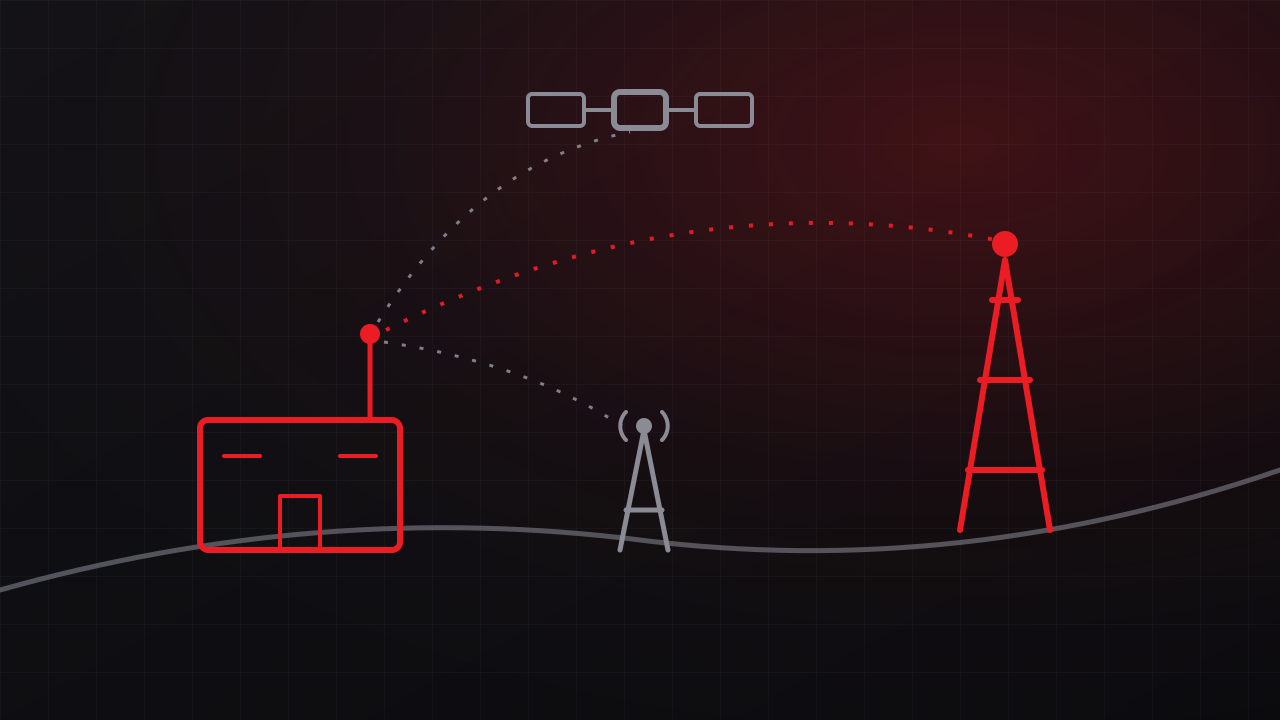
- Point-to-point fixed wireless, when there is line of sight to a tower, a hilltop, or another connected site. A properly engineered link can deliver high capacity over several miles with latency comparable to wired service.
- Cellular, where coverage is strong and stable. External antennas and the right carrier make a large difference.
- Satellite, where nothing else reaches. Low-earth-orbit services have brought latency down to levels that work for most business traffic.
Survey before you commit. Terrain, trees, and buildings that maps and elevation data miss decide whether a wireless path works, which is why every link we design starts with an RF site survey. Our comparison of point-to-point wireless, cellular, satellite, and fiber covers each option in more depth.
Step 3: Add a backup path that fails differently
A backup link helps only when the event that takes out the primary leaves the backup running. Pair technologies with different failure modes: a fixed wireless primary with a cellular or satellite backup, or a fiber primary with a wireless backup. Avoid backups that share the primary’s weak point, such as a cellular backup that depends on the same tower power as the wireless link, or two carriers whose circuits share a pole line.
Use a router or firewall that detects failure and switches paths automatically, and decide which traffic uses the backup. A backup plan with a data cap should carry alarms and control traffic first, with cameras held back until the primary returns. Test the failover on a schedule, because configuration drift and expired service plans tend to surface during a real outage.
Step 4: Engineer the power
Every radio, switch, and router at the site stops when the power does. Size battery backup for the outage you expect, including the time it takes to reach the site. At sites without utility power, solar power systems need load calculations and worst-case weather data, and on the Central Coast that means planning for foggy winter weeks. Add remote power cycling so a hung radio can be restarted without a drive, and monitor battery voltage so a failing battery shows up before the site goes dark.
Step 5: Secure the edge
A remote link often connects operational technology such as PLCs and SCADA to the business network and the internet. Segment control systems from business traffic, require VPN access with multi-factor authentication for remote users, change default credentials on every radio and router, and keep firmware current. The OT/IT boundary is where many industrial security problems start, and it is a core part of how we approach utilities, energy, and industrial sites.
Step 6: Monitor everything that can fail
Monitor link capacity and latency, signal levels, battery voltage, enclosure temperature, and door switches, and trend the data. A signal level that drifts down over weeks points to a shifted antenna or growing vegetation. A battery that sags further each night is near the end of its life. Alerts on those trends turn outages into scheduled maintenance.
Step 7: Document the site
Record the as-built configuration: IP addressing, radio settings, antenna alignment data, power system details, photos of the installation, and credentials stored in a password vault. The technician who drives out at night needs that information, and so does whoever maintains the site five years from now.
When to bring in help
A single site with strong cellular coverage may only need a quality router and a backup plan. Sites without carrier service or utility power, sites with control systems on the network, and sites with uptime requirements tied to public safety benefit from an engineered design. GTech designs and builds remote connectivity through our networking and telecommunications practice, including point-to-point wireless, solar-powered relay sites, and monitoring, and we start with a free desktop feasibility study. Free consultation: 805-979-9897.